
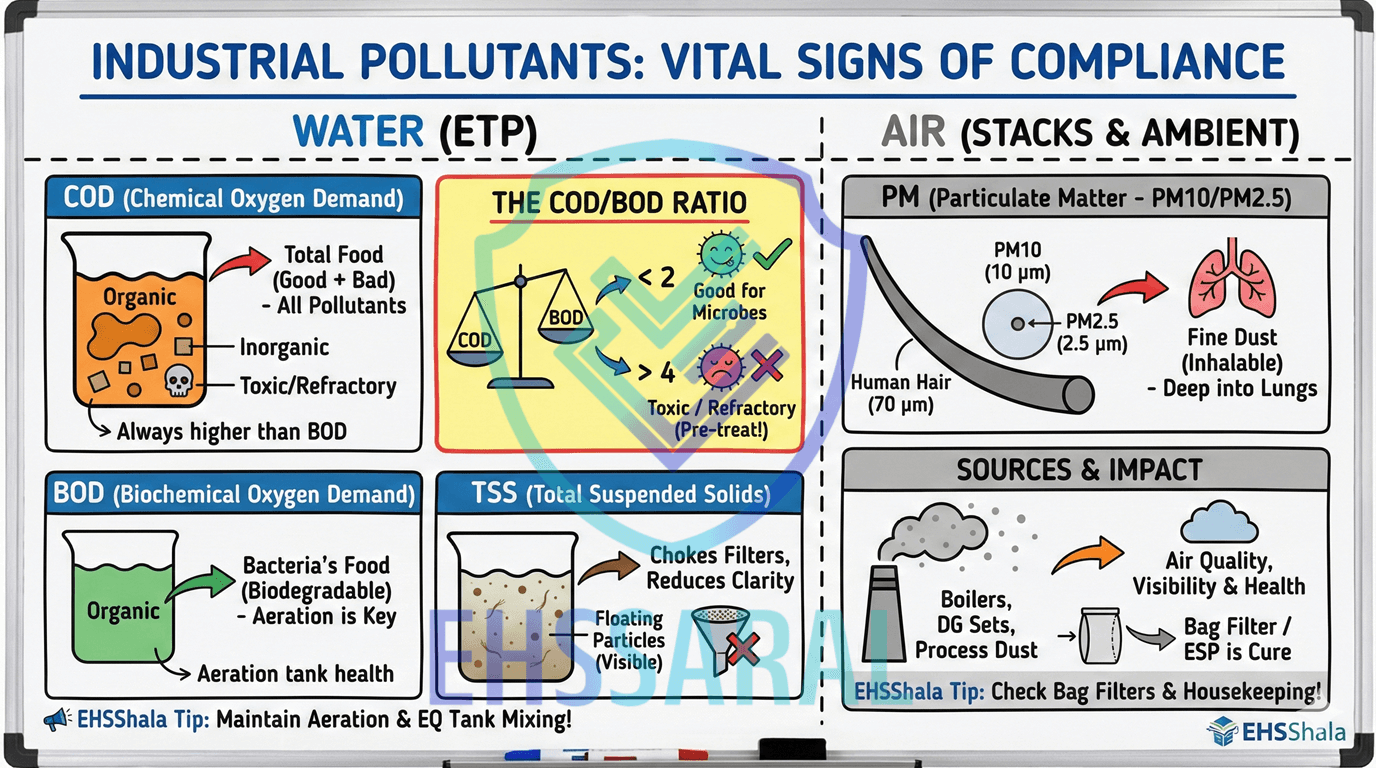
EHSShala
Industrial Pollutants Explained: COD, BOD, TSS & PM (A Practical Guide)
EHSSaral is an Environmental Compliance Intelligence Platform for Industries. Consent Intelligence • Alerts & Tasks • Incident Reporting • Form IV & V • Audit-Ready Records
See how EHSSaral works
27 Apr 2026
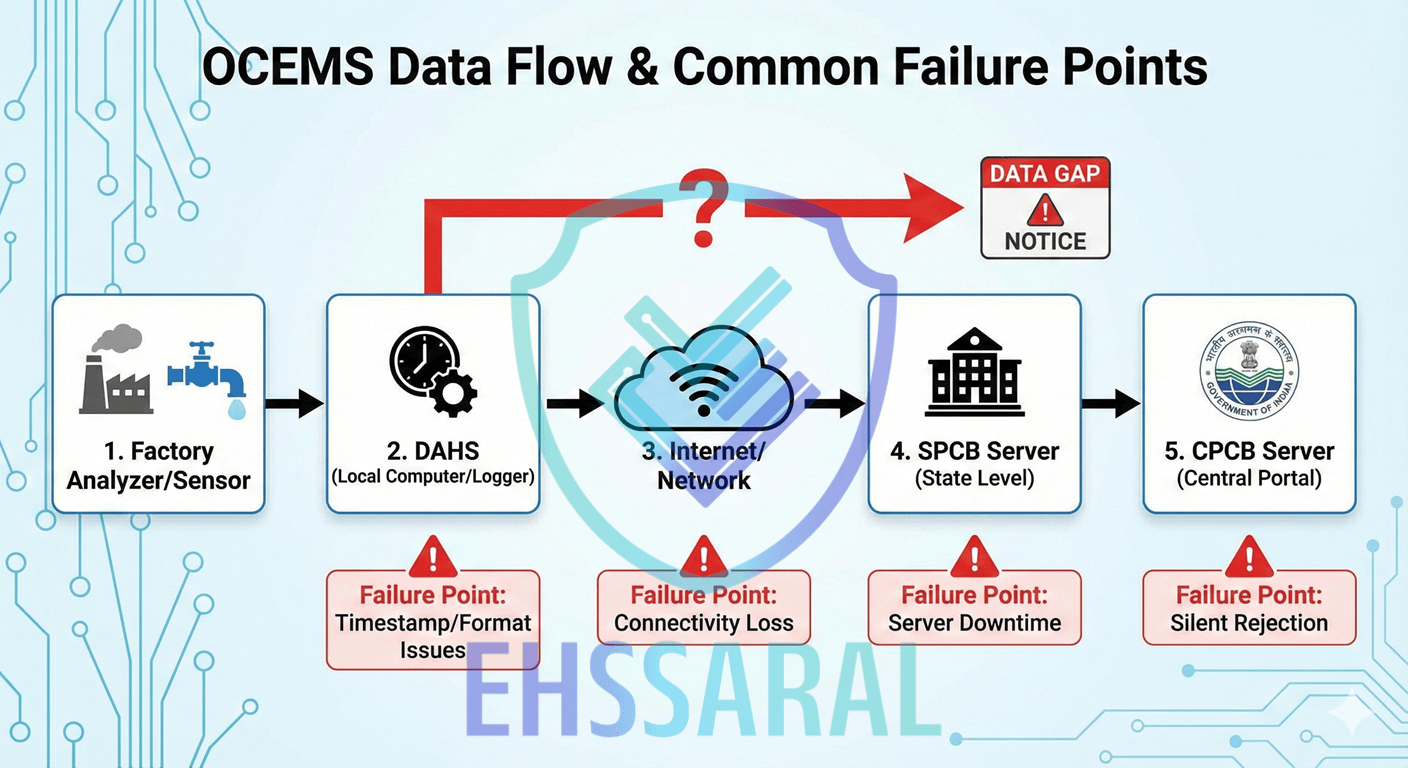
OCEMS data gaps are one of the most common reasons factories receive CPCB notices. Most teams assume the analyzer is at fault, but in reality, OCEMS failures often come from timestamp issues, DAHS (the software that uploads your data) errors, network instability, or server-side rejections. This guide explains why CPCB rejects data, how the OCEMS pipeline works, why SPCB and CPCB portals don’t match, and the exact steps to troubleshoot data gaps quickly.
“Most OCEMS issues are not pollution issues. They are communication issues.”
If you work in utilities, EHS, or plant operations in India, you already know one truth:
OCEMS never fails when everything is normal.
It fails on the day a senior visits… or CPCB decides to audit.
And suddenly:
Everyone in the plant panics.
The disappointing reality?
Most OCEMS issues are not pollution problems.
They’re communication problems.
And 80% of the time, the issue begins long before CPCB sees anything.
This article is written to remove that fear, explain OCEMS in plain language, and help you take control.
OCEMS simply means:
Your analyzer → sends data → through DAHS → to SPCB → then CPCB.
Nothing more.
But because 4-5 systems must talk perfectly, even a tiny mismatch causes:
Let’s break the problem down properly.
Read more about SPCB Auto-Renewal for Capital Investment Rules
When CPCB/SPCB says “data gap,” it does not automatically mean:
No.
What is an OCEMS Data Gap? An OCEMS data gap occurs when the central server (CPCB) fails to receive a data packet for a specific timestamp. It usually indicates a network or connectivity failure, not necessarily a pollution exceedance.
“Data gap” simply means:
“You were supposed to send data every few seconds…
but at some point, CPCB received nothing.”
There are only two real reasons this happens:
This is not a pollution issue.
This is a “communication broke” issue.
Examples:
In all these cases:
Your analyzer was working.
Your plant was compliant.
Only the data didn’t reach CPCB.
But CPCB sees only one thing:
No data received.
And sends a notice.
This is when the analyzer itself fails to generate OR validate data.
Examples:
Here the analyzer did not produce valid readings, so DAHS had nothing to upload.
Important:
CPCB will not upload values that violate basic sanity logic.
(e.g., negative values, sudden jumps, flatlines)
These get auto-rejected -
and you still get a “data gap.”
Even if everything on your side is perfect, CPCB may reject data because:
Here’s the surprising part:
CPCB does not notify you about the rejection.
It silently discards the data.
To you, everything looks normal.
But on the CPCB portal, the value never appears.
This is the most frustrating type of data gap -
because nobody knows who to blame.
Because OCEMS sits at the intersection of:
Most factories outsource OCEMS to vendors, yet the EHS officer gets the notice.
This creates unnecessary fear.
Our message is simple:
OCEMS is not complicated.
It just needs to be explained properly -
without jargon and without blame.
Most factories only react when CPCB portal shows a gap.
But early symptoms appear hours before.
Watch for:
If you catch these early, you avoid:
No - 70% of gaps are network or timestamp issues.
Vendors handle instruments.
But most failures are due to network or DAHS, which vendors don’t control.
Wrong.
DAHS ≠ CPCB.
The upload pipeline has 4-5 stages.
CPCB can reject today’s data even if yesterday was perfect.
It is the most serious - because CPCB rejects values even if you're compliant.
Read more about Why SME Safety Culture Fails
“DAHS is the real brain of OCEMS. If DAHS is unstable or unsynced, CPCB will reject every packet - even if the analyzer is perfect.”
Every time a CPCB notice comes for “data gap,” people blame:
But here’s the truth:
If you don’t understand the pipeline, you won’t know where the fault actually is.
OCEMS is not magic.
It is a simple four-stage communication system.
Once you understand this pipeline, your troubleshooting becomes 10x faster.
Forget the complicated diagrams you’ve seen.
Here is the simple, real-world version:
This is where raw environmental data is born.
Examples:
The analyzer does FOUR things:
If the analyzer is unstable, EVERYTHING after this will fail.
This is where 30-40% of OCEMS issues start.
This is the brain between the analyzer and CPCB.
DAHS:
If DAHS fails → CPCB never receives anything.
This is where the most hidden issues happen:
Factories rarely check DAHS logs -
which is why most data gaps look “mysterious.”
Most people don’t know this:
Data usually goes to State servers FIRST.
Then State pushes it to CPCB.
Which means:
Reasons:
This creates massive confusion because:
DAHS shows successful upload
but CPCB still shows “data gap.”
Always check the SPCB dashboard first.
This is the final destination.
CPCB server checks:
If ANYTHING does not match their standards →
CPCB silently rejects the data.
The rejection is not shown on your DAHS.
Your vendor cannot see it.
Your plant team will not see any error message.
Only the CPCB portal shows a blank “-”.
This is why factories blame vendors unnecessarily.
This is the LAST stage.
It updates every few minutes.
If data is visible here → everything worked.
If data does NOT appear here →
the failure happened somewhere earlier in the pipeline.
Based on field experience across India:
This is the REAL distribution.
No one tells EHS officers this.
“A 10-20 second clock mismatch is enough for CPCB to reject your data without warning.”
CPCB is extremely strict about timing.
Reasons why factories experience timestamp drift:
This one issue alone causes:
EHSSaral will eventually automate timestamp monitoring -
but for now, understanding this is half the solution.
Read more about Environmental Monitoring New Age Calendar for Industries for Free
Factories often complain:
“SPCB portal shows data, but CPCB is blank.”
This happens because:
Most vendors cannot diagnose this.
Only a proper architecture understanding can.
When the CPCB portal shows a “-”, everyone in the plant reacts differently:
This chaos happens only because people skip basic diagnosis.
To stop this, here is the 5-step checklist that every EHS officer, plant engineer, and utility manager should follow.
This is the same mental model senior consultants use.
Your analyzer may be perfect.
Your DAHS may be perfect.
Your network may be perfect.
But if your system time is off by even 10-20 seconds, CPCB instantly rejects the packet.
If timestamp is wrong →
stop everything else → fix this first.
OCEMS doesn’t require high-speed internet.
It requires stable internet.
Even a 2-3 second drop breaks the upload handshake.
Open Command Prompt:
ping <SPCB server IP> -t
If you see “Request Timed Out” →
your network is the culprit.
Most factories don’t realize:
CPCB rejects readings that look “unrealistic.”
For example:
Your DAHS will send numbers.
CPCB will reject them.
This is the invisible failure 80% of factories never detect.
This is the MOST ignored step.
DAHS logs tell you:
If log files show repeated errors, the problem is local - not CPCB.
Very few people know this:
Data goes to SPCB → then to CPCB.
If SPCB doesn’t receive it, CPCB will NEVER receive it.
SPCB | CPCB | Meaning |
| ✔️ | ✔️ | Everything OK |
| ✔️ | ❌ | CPCB rejection (format/timestamp issue) |
| ❌ | ❌ | DAHS/Network issue |
| ❌ | ✔️ | Rare - check server sync |
This one table can save hours of confusion.
Don’t panic. Follow this order:
Show CPCB that you have continuity, even if portal shows gaps.
Avoid technical jargon.
Keep the explanation honest.
E.g.,
Authorities appreciate clarity more than perfection.
When you get a Show Cause Notice (SCN) for data gaps, the SPCB doesn't want a story-they want a technical justification.
Most managers write: "Sir, internet was down, sorry." (This gets rejected). You need to write: "The data gap was caused by a packet handshake failure at the ISP gateway level, evidenced by the router logs attached."
Here are three copy-paste templates for the most common scenarios.
Scenario A: The Network/Internet Failure (Most Common) Use this when the analyzer was working, but the internet connection dropped.
Subject: Reply regarding OCEMS Data Gap Notice [Notice Number] dated [Date]
Respected Member Secretary,
This is with reference to the received notice regarding data gaps in our OCEMS transmission on [Date] between [Start Time] and [End Time].
We have conducted a root cause analysis and confirmed that our Effluent Treatment Plant (ETP) was fully operational and compliant during this period. The data gap was caused solely by a connectivity failure at the [ISP Name] gateway level, which prevented the DAHS system from establishing a handshake with the central server.
Evidence Attached:
- DAHS Local Logs: Showing continuous data generation and "Upload Failed" error codes during the gap period.
- ISP Downtime Report: Confirmation from the internet service provider regarding the outage.
- Manual Logbook Entry: Scanned copy of the operator logbook showing ETP parameters for that shift.
The connectivity was restored at [Time], and real-time transmission has resumed automatically. We are installing a secondary backup line to prevent recurrence.
Yours Faithfully, [Your Name]
Scenario B: The "Flatline" (Maintenance/Calibration) Use this when the graph is a straight line because you were cleaning/calibrating the sensor.
Subject: Clarification regarding "Flatline" Data Notice [Notice Number]
Respected Sir/Ma'am,
With reference to the observation regarding "static data" (flatline) on [Date], we wish to clarify that this was a scheduled maintenance activity, not a sensor failure.
The pH/COD sensor was under Preventive Maintenance (Electrode Cleaning & Calibration) from [Start Time] to [End Time]. During this specific window, the analyzer holds the last valid value (Hold Mode) to prevent erratic spikes from triggering false alarms on the server.
Evidence Attached:
- Maintenance Log: Copy of the signed maintenance schedule for [Month].
- Calibration Certificate: Post-maintenance calibration results showing the sensor is healthy.
- Geotagged Photograph: Photo of the engineer performing the maintenance at the specified time.
We have instructed our vendor to ensure the "Maintenance Flag" (Status Code) is correctly tagged in future uploads so the server automatically recognizes this as a maintenance window.
Yours Faithfully, [Your Name]
Scenario C: The Timestamp Mismatch (The "Invisible" Error) Use this when everything looks fine but CPCB rejected the data due to time drift.
Subject: Technical Justification for OCEMS Data Gaps on [Date]
Respected Sir/Ma'am,
Regarding the data gaps observed on the portal, our internal audit reveals that the analyzer and ETP were functioning correctly.
The root cause was identified as a Network Time Protocol (NTP) desynchronization. The DAHS server clock drifted by [X] seconds due to a Windows update restart, causing the CPCB server to reject the data packets due to "Future/Past Timestamp" validation rules.
Corrective Action:
- We have enabled auto-sync with
pool.ntp.orgto ensure the DAHS clock matches the server clock within <500ms.- We have manually retrieved the missing data from the DAHS local storage and are ready to submit the Excel/CSV file if required for your records.
We assure you this was a software configuration latency and not a compliance deviation.
Yours Faithfully, [Your Name]
Don’t blame vendor immediately
CPCB hates excuses.
Don’t say “Analyzer was working” without logs
They want evidence, not statements.
Don’t send vague explanations
E.g., “Due to technical issues.”
This increases suspicion.
Don’t delay submission
The longer you wait, the more serious it looks.
Don’t say “Internet issue” unless it is 100% true
They will ask for ping logs.
“The future of compliance is predictive, not reactive - OCEMS should warn you before CPCB warns you.”
EHSSaral will eventually resolve these issues to reduce:
You now understand OCEMS better than most vendors:
This series makes the reader feel safe, empowered, and guided - the EHSSaral way.

Founder, EHSSaral
Founder - EHSSaral | Partner - Perfect Pollucon | ISO 14001 Lead Auditor | GHG Protocol Scope 2 | Chemist | Data Scientist | Second-generation environmental professional simplifying EHS compliance for Indian industries through practical, automated, tech-enabled, data driven compliance workflows.
Industrial Pollutants Explained: COD, BOD, TSS & PM (A Practical Guide)
Stack Monitoring Basics for Indian Factories | EHSShala
The Digital Compliance Cliff: EPR Traceability Challenges for Indian MSMEs | EHSSaral Research
Best Environmental Compliance Software in India (2026): A Practical SME Comparison | EHSSaral
Environmental Compliance for Pharmaceutical Manufacturing in India | EHSSaral
E-Waste Management Rules (2022) in India - Practical Guide for Factories | EHSShala
Why Form IV Filing Becomes Difficult for Indian EHS Teams: A Field-Level Analysis
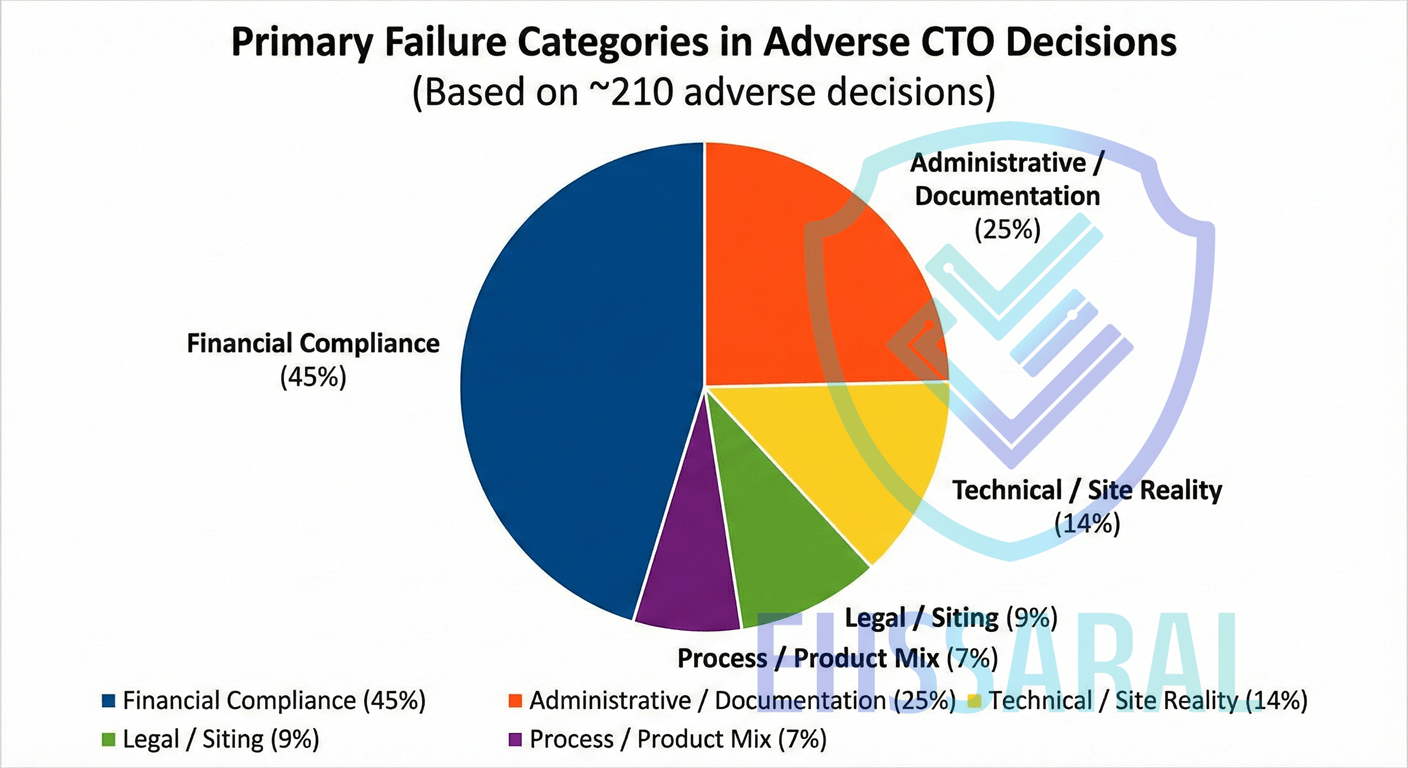
MPCB CTO Refusal Patterns in Maharashtra (2023–2025) Analysis | EHSSaral Research
Ultimate MPCB Form IV Checklist for Maharashtra Industries
Environmental Compliance vs Environmental Accounting in India